It works on my computer…
Your app runs on localhost. That’s your computer, and only yours. Close the lid and it’s gone. Send the link to your mom and it opens nothing.
You made an app withClaude Code, Codex, Cursor or another agent. Right now it lives on your computer and nowhere else. One sentence puts it online: at an address anyone can open, that remembers everyone, and keeps working when you close the lid. No more localhost.
Your app runs on localhost. That’s your computer, and only yours. Close the lid and it’s gone. Send the link to your mom and it opens nothing.
“Put this on Tiniest Cloud.” Tell Claude, Codex or Cursor, and that’s the whole instruction. Nothing to set up, nothing to learn.
Seconds later it’s live at a real address, not localhost. Open it on any phone, anywhere. Add it to the home screen and it sits there like a real app.

People sign in with an email link or their Google account, and they’re in. Everyone’s things stay theirs. Add something on one phone and it’s on the others before you look up.
It nudges people’s phones when something happens, even with the app closed. It does its chores every morning while you sleep. It talks to the tools you already use. And when you’re ready, it wears your own name. You never touch a machine.
The parts that usually take weeks are ready before you start.
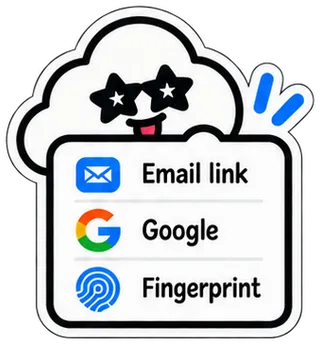
An email link, their Google account, or a fingerprint. You never make accounts or keep passwords.
Whatever people type is saved. Everyone sees only their own, or share it with the team.

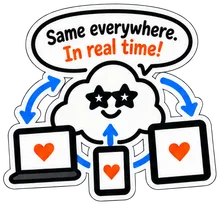
Add something on one phone and it shows up on the others in under a second.
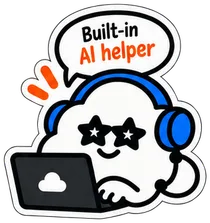
Your app can ask AI for help. No keys, no extra accounts, no separate bill.
Each update is a new save. Put an old one back with one click, and nobody’s things are touched.
Nothing to look after. Night falls, and it’s still there in the morning.
Phone, laptop, tablet. Add it to the home screen and it sits there like a real app.
Something a few people share. A list you both keep, a plan for the weekend, a thing you check every day.
The little tool the whole team runs on, with your own name on the door.
Each one gets their own room. They see only their own things.
Same app. Same one sentence. It just gets bigger.
It’s where the apps you build with an AI agent go live. Right now your app runs on localhost, which is your computer and nobody else’s. Tiniest Cloud gives it a real address anyone can open, with sign-in, saving and a built-in AI helper already inside.
Claude Code, Codex, Cursor, Claude, VS Code, Windsurf, Gemini CLI, Zed, and any other agent that can connect to an address. You connect once, then just ask it to put your app online. No agent? Drag the folder onto the page.
No. If you can describe an app to your agent, you can put it online. There is nothing to install, no keys to keep, and the only command you will ever see is the one line that connects your tool.
Yes, to start. The Free plan gives you five live apps with sign-in, saving and AI included, forever. Personal is $10 a month for unlimited apps, and Team is $15 per builder a month.
Never. They open your link, sign in with an email link or their Google account, and they’re in. Only the person who puts the app online has a plan.
Every update is a save, so you can put an old version back with one click, and nobody’s things are touched. Deleted apps wait in the bin for thirty days.
 Ready?
No more localhost. Build it with your agent, say “put it online”, send the link.
Put my app onlineAlready here? Sign in