
Sign in
app.tiniest.cloud, free. An email link or your Google account.
Sign in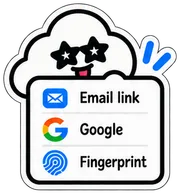
Connect once. After that you never leave your agent to put an app online, share it, or put an old version back. No more localhost.
app.tiniest.cloud, free. An email link or your Google account.
Sign inOpen Connect in the dashboard and pick your tool. Most are one click; the rest is one line to paste.

Back in your tool, just ask. Putting online, sharing, putting back — all in plain sentences.

Connect once per tool. The dashboard fills in the personal part for you.
claude mcp add --transport http tiniest-cloud https://app.tiniest.cloud/mcp --header "Authorization: Bearer <your key from Connect>"
[mcp_servers.tiniest-cloud]
url = "https://app.tiniest.cloud/mcp"
http_headers = { "Authorization" = "Bearer <your key from Connect>" }No agent, or an app from before? Both still work.
Sign in and drag the folder onto the page. That's the whole trick.

One sentence to your agent. It rewrites the saving and sign-in, and keeps the old version.


Sign in, connect your tool, say the words.
Sign in and connect